> For the complete documentation index, see [llms.txt](https://docs.kysenpool.io/llms.txt). Markdown versions of documentation pages are available by appending `.md` to page URLs; this page is available as [Markdown](https://docs.kysenpool.io/staking-guides/agoric-staking-bld.md).
# Agoric Staking (BLD)
Agoric (BLD) Staking Guide
## **What is Agoric?**
The Agoric crypto economy utilizes Hardened JavaScript to make blockchain programming safe for JavaScript developers, offering a foundation for DeFi with a fast and predictable chain. It integrates familiar, secure, and composable development practices and features IST and BLD tokens for economic activity. The system includes tightly-coupled Dapp, Inter Protocol, and Staking economies, offering governance, validation, and fees.
***
{% embed url="" %}
***
## **Stake BLD tokens**
In this step-by-step guide, we will explain to you how to stake your BLD token by using Keplr wallet. Let’s get started!
***
## Staking your BLD tokens with Keplr wallet
### **Installing Keplr to Activate a Wallet**
Using a browser such as [**Google Chrome**](https://www.google.com/chrome/) or [**Brave**](https://brave.com/)
1. Visit the [**Chrome Web Store**](https://chromewebstore.google.com/detail/keplr/dmkamcknogkgcdfhhbddcghachkejeap) to **Add to Chrome**
2. Add “Keplr” window will appear. Here's when you choose to **Add Extension**.
3. When the download completes, you can begin interacting with your browser extension by clicking on it at the top right corner of your browser
4. You'll now launch the Keplr wallet extension and will see the following 3 options
1. Create a new account via seed/mnemonic phrase
2. Import your account from a compatible non-custodial wallet
3. Connect using a hardware wallet
## **Creating a new wallet**
### **How to create a new Account via Recovery Phrase**
1. If you are setting up Keplr for the first time: In the initial pop-up window, choose Create new recovery phrase.
2. **Choose to have a recovery phrase of 24 words, then take care to save them. The safest way is to write the words on paper and store them in a secure place. Avoid taking screenshots of the words or copying them into your computer/phone notes.**
3. To confirm the creation of the new account, all you have to do is key in the words in the right order in which they appear in your recovery phrase, enter a name for your account, and **set your password. Choose carefully, if possible, prefer a password you’re not using in any other application, and then click Next.** If you have used Keplr before, this step will be skipped as you have already set your name and password when creating/importing your first account.
***
## **How to Stake BLD Tokens?**
When you are all set it is time to learn how to stake BLD tokens.
BLD holders can earn staking rewards, thereby increasing their BLD holdings by simply staking their BLD tokens with any one of the active validators on the network.
To stake BLD tokens you must first have some BLD tokens and send them to a wallet that supports staking.
Once you’ve transferred your tokens to a stake-supporting wallet, you may proceed with staking your tokens on the network to earn staking rewards.
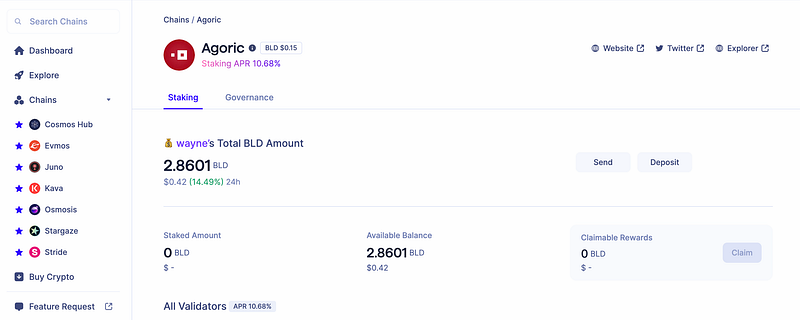
First, visit .
Select a validator of your choice to stake your tokens to.
Once you have made your decision of validator, click >, then Stake.
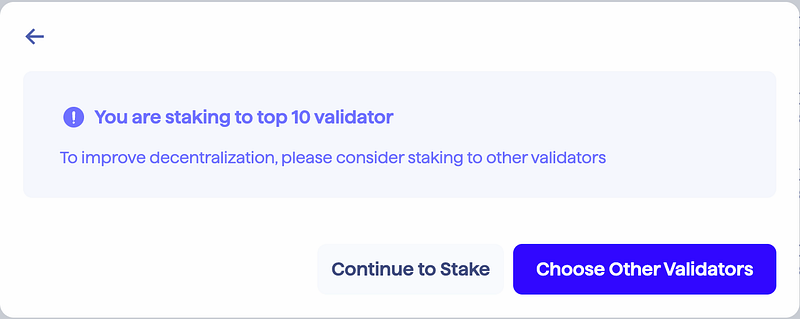
**In order to improve decentralization, please consider staking to out of top 10 validator.**
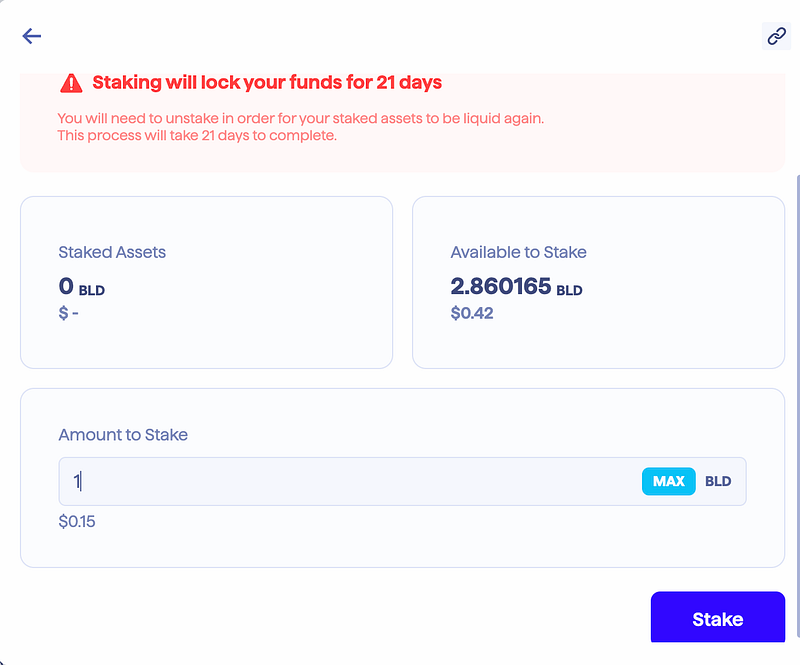
Next step is to decide and key in the number of BLD tokens you want to stake in the input field and click Stake.
**IMPORTANT: Do not stake all of your token, you need to save some to pay for network fees.**
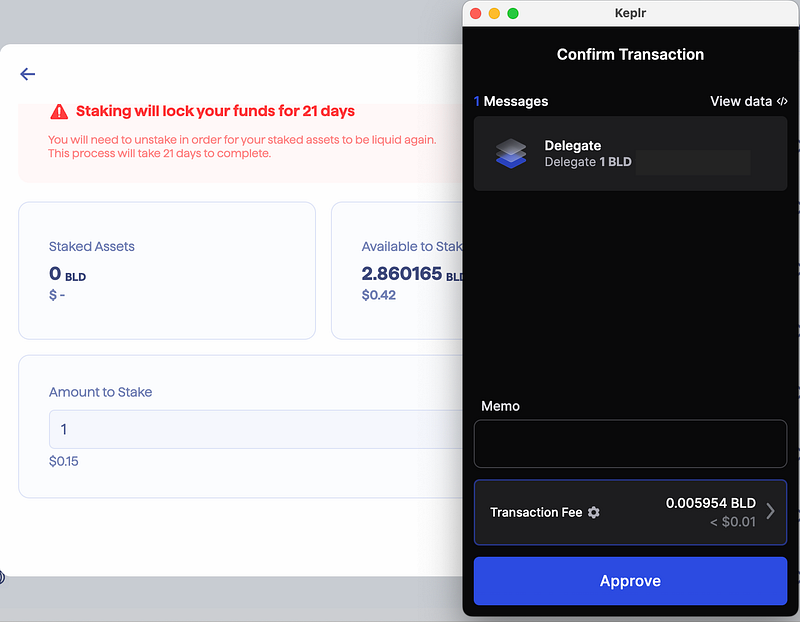
Next, click the transaction fee to choose the range of fees on display.
Click on Approve to confirm your transaction.
You have now staked your BLD tokens and will begin earning staking rewards!
**Congratulations! You’ve just staked your BLD to a validator!**
## **Stake Now with KysenPool** :point\_right: [**Keplr Wallet App**](https://wallet.keplr.app/chains/agoric?modal=validator\&chain=agoric-3\&validator_address=agoricvaloper1pf4dt8kcyc0vjrfedgckw57la9tarmx0mt439g\&referral=true)
***
Thank you for reading.
If you enjoyed this staking guide, please support us with a follow.
***
If you have any questions,
please feel free to ask us directly in our **👇Telegram👇**.\
***
## About Us
### **🌐 KysenPool Validator**
*Unlock the Power of Staking with Our Trusted Blockchain Infrastructure Services!*
We aim to decentralize the Proof-of-Stake blockchain ecosystem by providing high-performance validation, infrastructure, and automation. Our expertise spans Tendermint-based chains like **Cosmos, Kava, Agoric, and Aura**; **Ethereum** and EVM chains such as **Harmony**; as well as substrate-based ecosystems like **Cardano and Midnight**. We’re also actively engaged with next-generation networks including **Lido SSV, Story Protocol, Sahara AI, Bitway, Pell Network, Imua, and Canopy**. Our global team continuously enhances automation and proactively monitors operations to ensure high availability, resilience, and optimal performance across all supported networks.
Our infrastructure is a hybrid of data centers bolstered with **Hardware Security Modules (HSMs)**, and distributed globally at multiple Cloud providers. Our mission is to help **provide a sound infrastructure, share toolings and offer foundational services**, so that token holders can stake with confidence while the blockchain ecosystems which we support continues to strengthen. We hope you like our contributions into the ecosystems that we support. To find out more about networks that we support, checkout our website below.
{% embed url="" %}
### Stake with KysenPool
* on Story via [Staking Explorer](https://staking.story.foundation/validators/0x3e13a106de45bc493bed240913dd3f501af0beac)
* on Cardano visible at [PoolTool](https://pooltool.io/pool/490353aa6b85efb28922acd9e0ee1dcf6d0c269b9f0583718b0274ba/delegators) via [our Staking Guide](https://medium.com/kysenpool/cardano-ada-staking-guide-how-to-stake-ada-using-daedalus-yoroi-and-lace-wallets-403a135993f1)
* on Cosmos via [Keplr Wallet](https://wallet.keplr.app/chains/cosmos-hub?modal=validator\&chain=cosmoshub-4\&validator_address=cosmosvaloper146kwpzhmleafmhtaxulfptyhnvwxzlvm87hwnm)
* on Agoric via [Keplr Wallet](https://wallet.keplr.app/chains/agoric?modal=validator\&chain=agoric-3\&validator_address=agoricvaloper1pf4dt8kcyc0vjrfedgckw57la9tarmx0mt439g\&referral=true)
* on Harmony via [Staking Explorer](https://staking.harmony.one/validators/mainnet/one1ctwewx0pmg8k0tc8vnx4guyq9jm7dwz5k98tlm) (upon sign-in)
* on Kava via [Keplr Wallet](https://wallet.keplr.app/chains/kava?modal=validator\&chain=kava_2222-10\&validator_address=kavavaloper1rpwemvmt3sex4d8qt4menglfx9rhl0x3py69wj)
* on Aura at [AuraScan](https://aurascan.io/validators/auravaloper1se04rpyxc9tmphuq8ewr747ds77jhv48s7hl42)
### Our Dapps
* Cosmos Outpost (Analytics):
### Official Channels
* Email:
* Website:
* Twitter:
* Telegram:
* Medium: